Windows 8.1 is the first major update to windows 8, released on October 17, 2013. The update incorporates some additional features and also refining other aspects of windows 8 criticized by its users on various platforms.
This tutorial will help you download windows 8.1 from a reliable source in a few easy steps.
1. Before getting started make sure you have a Microsoft account (Hotmail/live/Outlook/msn). If you don't have any just
Click here to make one for free.
2.
Once you have an account, now Click here to start downloading windows 8.1.
3. Select the version of windows you wants to get started.
4. On the next screen you will be prompted for you Microsoft account credentials, just enter the email address and password of the account you made in step 1 and sing in.
5. Enter the information in the required fields and click continue.
6. Click on get started downloading, a new window will pop up asking for Akamai NetSession Interface to install, for insuring high quality download..
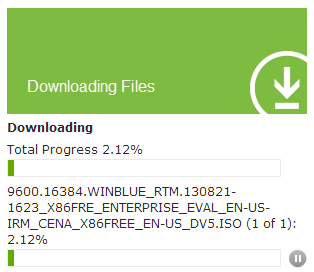
7. Once you have download and installed the application, your download will start automatically.
8. Save the downloading package wherever you want. Bravo!! you are done!!

.png)
.png)

.png)
.png)
.png)
.png)

.png)
.png)
